

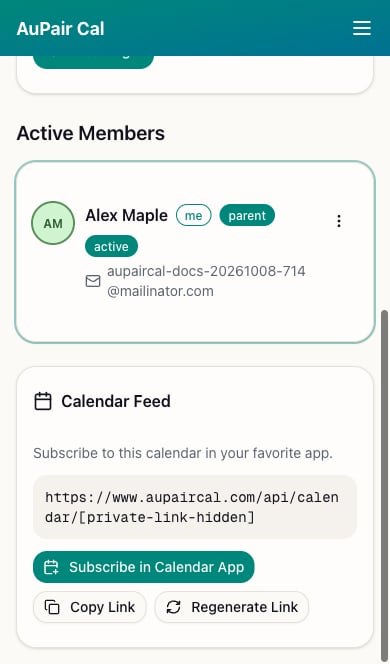
- Open Family Dashboard and find Calendar Feed.
- If there is no link yet, choose Generate Calendar Link.
- Choose Subscribe in Calendar App, or use Copy Link and add it as a subscribed calendar in your app.
Add the copied link
- Apple Calendar on Mac: choose File → New Calendar Subscription, paste the URL, and choose Subscribe. Apple’s instructions.
- Google Calendar on the web: beside Other calendars, choose + → From URL, paste the link, and choose Add calendar. Google’s instructions.
- Outlook on the web: use Add calendar → Subscribe from web, paste the link, and choose Import or Import and Save. Microsoft’s instructions.