After setup, a parent may be taken to the subscription screen before the calendar is available.
  1. Choose Monthly or Yearly.
  2. Review the price and any trial shown on the screen.
  3. Choose Start your 7-day trial or Subscribe, depending on eligibility.
  4. Complete Stripe checkout after reviewing the amount due now and future billing terms.
  5. Return to AuPairCal and open your calendar.
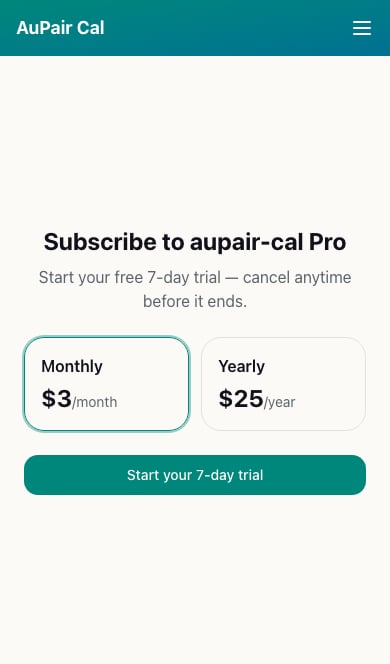
Household subscription screen with monthly and yearly plan choices The plan and trial shown at checkout are the terms for your subscription; screenshot prices are examples. If you have a promotion code, apply it at checkout and confirm the updated total before continuing. Au pairs do not manage household billing. If they see Waiting for activation, a parent needs to activate the household subscription. Next: Set weekly hours and time-off rules. For access problems, see Subscription and access questions.