- Open Calendar in Week View and navigate to the correct week.
- Choose the + button for the intended day.
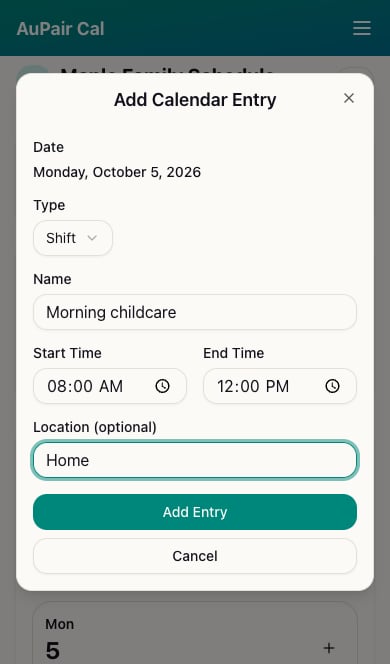
- Check the date at the top of Add Calendar Entry.
- Leave Type as Shift and enter a descriptive Name.
- Set Start Time and End Time, and optionally a Location.
- If the au pair assignment field is shown, select your au pair. Invite them first if needed.
- Choose Add Entry and check the new day card and hours total.