The weekly summary updates as you add or edit timed entries.
  • Worked hours are calculated from scheduled Shift and Other entry durations for the displayed week; they are not a clock-in record.
  • Remaining hours compare those scheduled hours with your household’s weekly limit.
  • The progress indicator shows the share of that limit used.
  • Time-off summaries compare the schedule with the household’s time-off setting.
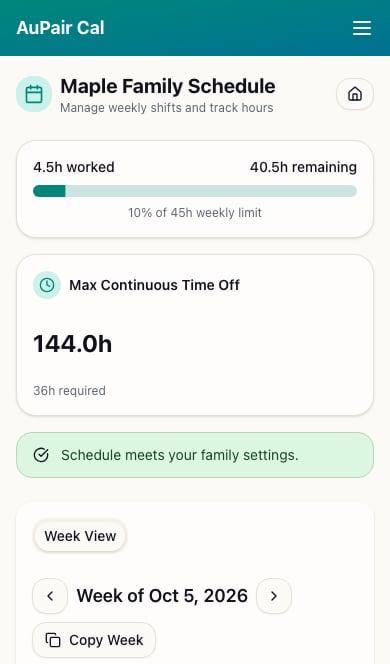
Weekly summary showing 4.5 hours worked, 40.5 remaining, and a 45-hour weekly limit For a 45-hour limit and a 4.5-hour shift, the summary shows 40.5 hours remaining and 10% of the weekly limit. With consecutive time off enabled, Max Continuous Time Off shows the longest uninterrupted break in the week and compares it with the required 36 hours. With it disabled, the app evaluates full and half days off instead. Parents see the household settings summaries; an au pair’s read-only view shows scheduled hours. Review any warning and adjust the schedule or check the configured rules before relying on it.